Portability of conversations with GPT-like chats is still a pain in the ass. What I want is simple: a button in every chat app that exports the conversation to readable, formatted HTML. One file, self-contained, that you can share, publish, or keep for a quick re-read later.
So far only one tool does this well — the Pi coding agent. With /export you get a single HTML file containing the whole session. ChatGPT doesn’t have it. Neither does Claude, nor Claude Code.
So I built one. Together with Claude I made a /session-export skill for Claude Code, inspired by Pi’s feature but more advanced. The core ideas: portable, complete, self-contained in one file, readable. And since I had set Claude Code to keep my sessions for 99999 days (oh wait — that’s almost 274 years), I had plenty of material to base it on.
The skill renders a whole session to one HTML file: tool calls, AskUserQuestion tasks, Bash calls, and so on. I use it often. I like to learn from a coding session, and reading it back as a clean document makes that easier than scrolling through a terminal. I’ve been iterating for weeks, adding more tool calls, more formatting, more features. Recently I also made it codex-compliant, so sessions from both tools render in a similar style. The theming is flexible too — you can add your own.
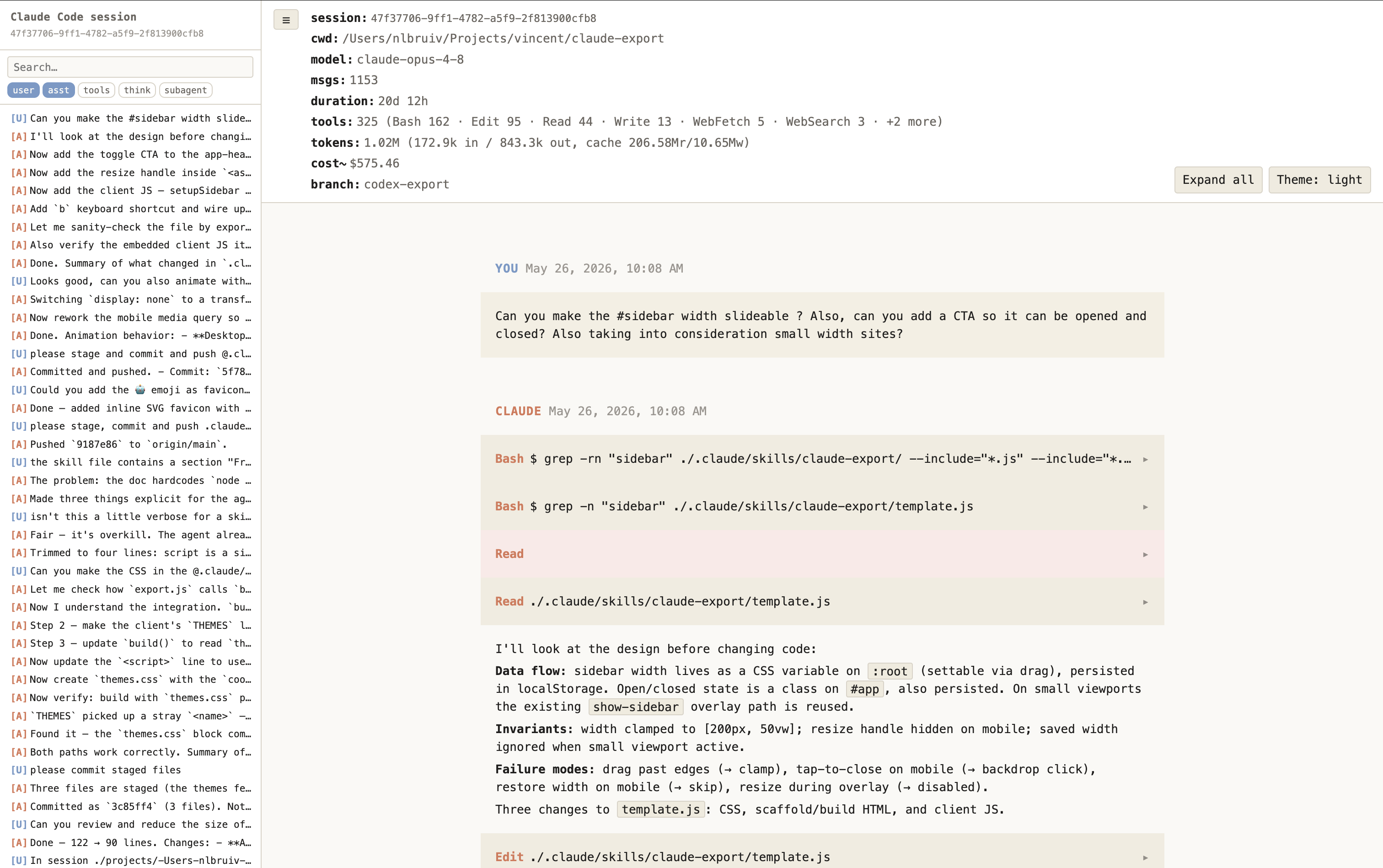
The price of a self-contained file is its potential size. I take that for granted for now.
What I didn’t expect is how much of a gap this fills. Most AI tools have no print feature and no HTML export baked in. Regular claude.ai and ChatGPT conversations actually print to PDF fairly well — they’re already static, document-shaped things. Coding sessions aren’t. Print a Claude Code web session and you get a single page with the side navigation stuck in it. Pi had the right instinct here; the others left it out.
A use case I like: end a /goal task with a call to the export.
/goal study TASKS.md and work through all tasks.
When done, close off with the /session-export skill.
Still on the wishlist:
- A standalone version where you upload your JSONL session file directly — maybe with some anonymization and PII filtering.
- A print stylesheet, for those who do want the PDF.