> This article is also available in HTML at: http://www.vincentbruijn.nl/articles/claude-code-configuration-tips/
> For a full index of articles, see: http://www.vincentbruijn.nl/llms.txt
# Claude Code Configuration Tips
- **Date**: 2026-04-14
- **Author**: Vincent Bruijn
- **Description**: My Claude Code CLI configuration tips
- **Keywords**: Claude Code
---
Always good to see mobile phones rise during your talk: it usually means your slide contains valuable, practical information. I noticed this whenever I showed my Claude Code configuration slide.
Claude Code offers many options; my setup strips away the ones I don't need. Here I cover each setting, what it does, and why I changed it.
## Simplicity
I keep Claude Code simple, optimized for its core capabilities, token efficient where possible and inspectable.
My configuration revolves around these three core principels.
### Inspection, UI
First, I configure my terminal to have as much scroll back space as possible. I do this in VS Code’s terminal, in MacOS Terminal and in [iTerm2](https://iterm2.com/documentation-preferences-profiles-terminal.html). Terminal output is mostly text and consumes little memory. Set it to 100k lines or so.

Be careful grepping large log files though...
Next: `--verbose`, which makes every tool call and token exchange visible. Aren’t we all used to scrolling timelines on X or Insta? Your terminal is no different. I set `BASH_MAX_OUTPUT_LENGTH` to `99999` to preserve full shell output, I want to be able to see it all. I combine this with flicker reduction by setting `prefersReducedMotion`. This can be done in Claude’s own `settings.json`.
```sh
$ claude --verbose
```
The file `~/.claude/settings.json` will now look like:
```json
{
"prefersReducedMotion": true,
"env": {
"BASH_MAX_OUTPUT_LENGTH": "99999"
}
}
```
To strip the UI furthermore I turn off `feedbackSurveyRate` and tips via `spinnerTipsEnabled` and `CLAUDE_CODE_ENABLE_PROMPT_SUGGESTION`. I don’t need them. Also, I use the `IS_DEMO=1` env variable to reduce startup info. Not needed for me. Be aware though that using `IS_DEMO` in a fresh directory skips the onboarding safety check. So, it's best to use it on recurring sessions, or just accept the bloat at the top of the screen at startup.
Additionally I like to keep my terminal tab titles as I configured them. So, I set `CLAUDE_CODE_DISABLE_TERMINAL_TITLE` to `1` so Claude will not write conversation state to it. It's distracting and annoying.
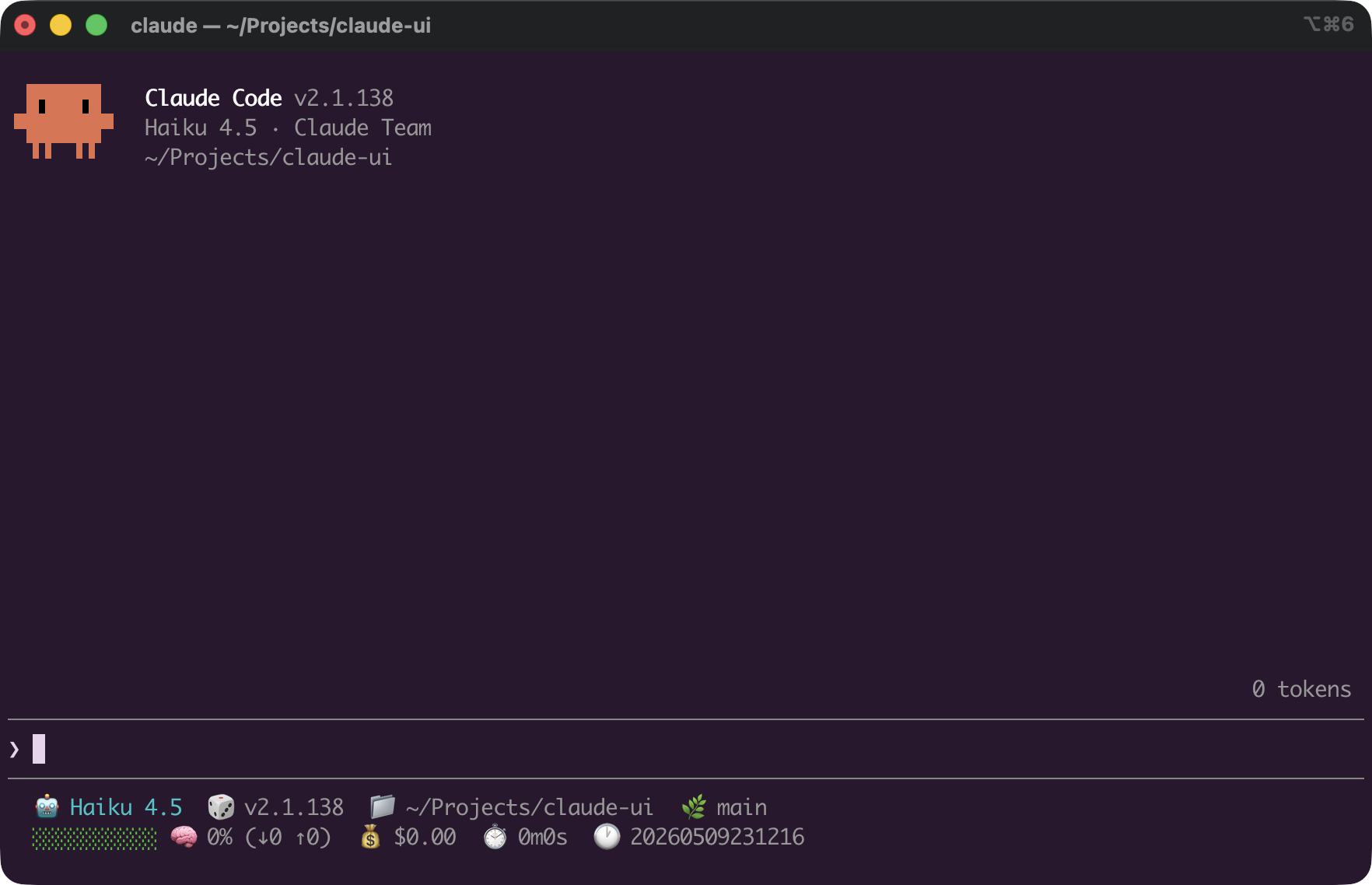
With IS_DEMO=1, the TUI is now nice and clean.
The file `~/.claude/settings.json` will now look like:
```json
{
"prefersReducedMotion": true,
"feedbackSurveyRate": 0,
"spinnerTipsEnabled": false,
"env": {
"BASH_MAX_OUTPUT_LENGTH": "99999",
"CLAUDE_CODE_ENABLE_PROMPT_SUGGESTION": "false",
"CLAUDE_CODE_DISABLE_TERMINAL_TITLE": "1"
}
}
```
## Most valuable config change: `cleanupPeriodDays`
My most valuable config change is to set Claude’s session file cache on disk to a very high value. Claude cleans up sessions older than 30 days from its home directory. Disk space is cheap. Have you ever installed Docker and built some images? It consumes gigabytes. Why not have a little more persistence for Claude?
I put the session cache, per property `cleanupPeriodDays` to `99999`. I want to keep all my session logs as sometimes I pick up old projects after months to continue with them. Sure, it is good to keep your project’s state in code, but sometimes I just want to know how our conversation went.
Claude Code is a conversational AI code writing tool. The conversation is a key element. Discarding them without thought wastes learning.
The file `~/.claude/settings.json` will now look like:
```json
{
"cleanupPeriodDays": 99999,
"prefersReducedMotion": true,
"feedbackSurveyRate": 0,
"spinnerTipsEnabled": false,
"env": {
"BASH_MAX_OUTPUT_LENGTH": "99999",
"CLAUDE_CODE_ENABLE_PROMPT_SUGGESTION": "false",
"CLAUDE_CODE_DISABLE_TERMINAL_TITLE": "1"
}
}
```
### Default permissions
Next up is permissions. Claude can be so eager to produce code that it should be guided. Yes, I do use YOLO mode sometimes but when I don’t, I want to be clear on the guard rails. No editing of lock files, no editing of dependencies, ask for reading into dependencies but always allow git and certain bash commands.
The file `~/.claude/settings.json` will now look like:
```json
{
"cleanupPeriodDays": 99999,
"prefersReducedMotion": true,
"feedbackSurveyRate": 0,
"spinnerTipsEnabled": false,
"env": {
"BASH_MAX_OUTPUT_LENGTH": "99999",
"CLAUDE_CODE_ENABLE_PROMPT_SUGGESTION": "false",
"CLAUDE_CODE_DISABLE_TERMINAL_TITLE": "1"
},
"permissions": {
"allow": [
"Bash(git *)",
"Bash(grep *)",
"Bash(wc *)",
"Bash(ls *)",
"Bash(find *)",
"Bash(cat *)",
"Bash(head *)",
"Bash(tail *)",
"Bash(curl *)",
"Read(~/.zshrc)"
],
"deny": [
"Write(node_modules/**)",
"Write(package-lock.json)",
"Write(yarn.lock)",
"Write(pnpm-lock.yaml)",
"Write(Cargo.lock)",
"Write(target/**)",
"Read(~/.zshenv)",
"Read(.env)"
],
"ask": [
"Read(node_modules/**)"
]
}
}
```
### Token use
To reduce token use, I set `"CLAUDE_CODE_DISABLE_FAST_MODE": "1"`, I prefer lower cost over higher speed. Also, I always disable telemetry and error reporting.
### Complete `settings.json`
So, that's it! The file `~/.claude/settings.json` will now look like:
```json
{
"$schema": "https://json.schemastore.org/claude-code-settings.json",
"cleanupPeriodDays": 99999,
"prefersReducedMotion": true,
"feedbackSurveyRate": 0,
"spinnerTipsEnabled": false,
"env": {
"BASH_MAX_OUTPUT_LENGTH": "99999",
"CLAUDE_CODE_ENABLE_PROMPT_SUGGESTION": "false",
"CLAUDE_CODE_DISABLE_TERMINAL_TITLE": "1",
"CLAUDE_CODE_DISABLE_FEEDBACK_SURVEY": "1",
"DISABLE_FEEDBACK_COMMAND": "1",
"DISABLE_TELEMETRY": "1",
"DISABLE_ERROR_REPORTING": "1",
"CLAUDE_CODE_DISABLE_FAST_MODE": "1"
},
"permissions": {
"allow": [
"Bash(git *)",
"Bash(grep *)",
"Bash(wc *)",
"Bash(ls *)",
"Bash(find *)",
"Bash(cat *)",
"Bash(head *)",
"Bash(tail *)",
"Bash(curl *)",
"Read(~/.zshrc)"
],
"deny": [
"Write(node_modules/**)",
"Write(package-lock.json)",
"Write(yarn.lock)",
"Write(pnpm-lock.yaml)",
"Write(Cargo.lock)",
"Write(target/**)",
"Read(~/.zshenv)",
"Read(.env)"
],
"ask": [
"Read(node_modules/**)"
]
},
"statusLine": {
"type": "command",
"command": "/Users/vincentb/Projects/statusline/statusline.sh",
"padding": 0
},
"effortLevel": "high",
"tui": "fullscreen",
"voiceEnabled": false
}
```
Anthropic changes Claude Code configuration frequently. It might be that in a few months this article contains information that is no longer applicable. Verify your configuration with either the [Claude Code documentation website](https://code.claude.com/docs/en/overview) or validate it against the JSON schema.